
Get Fast, Accurate, and Reliable Mailings
Your “Real Mail” Command Central
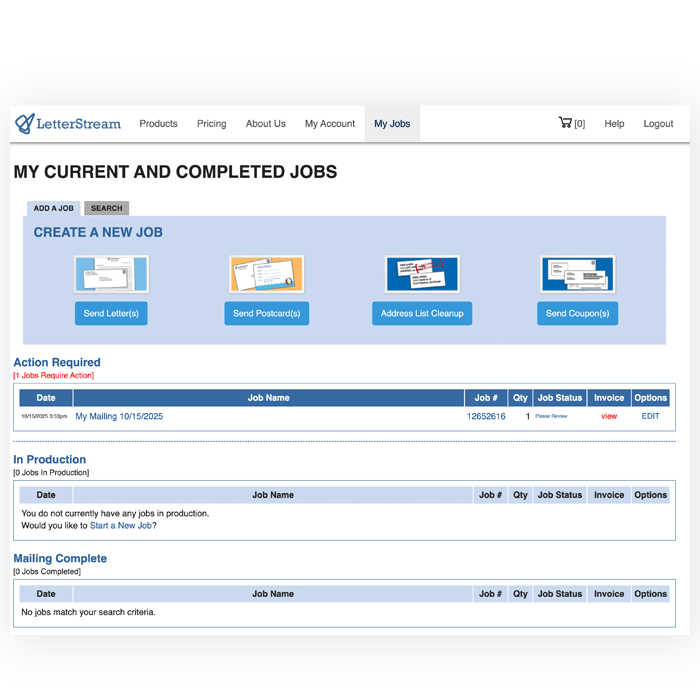
Maximize Control and Workflow Efficiency
Send, track, and control every piece of mail with the speed and simplicity of a modern software platform.
Dashboard
Your complete command center for mail.
Intuitive Interface
Built for speed, clarity, and ease of use.
Convenience
Send, track, and manage mail in minutes—not hours.
Control
Adjust permissions, monitor jobs, and manage teams.
Accounting
Clear visibility into costs, balances, and invoices.
User Roles
Assign permissions and tailor access for every team member.
Secure Platform
Enterprise-grade protection for data, users, and processes.
Advanced Notifications
Stay updated with customizable alerts for key activity.
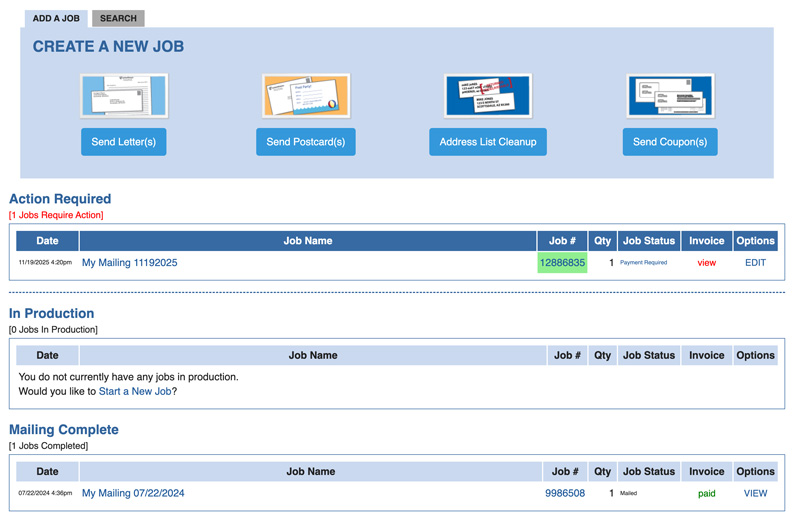
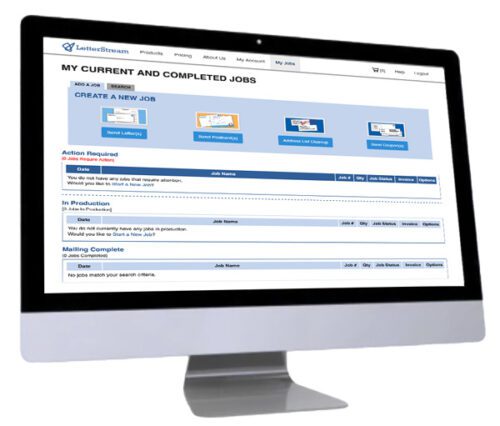
Dashboard
Command Central
A Centralized Command Center that Gives You Real-time Visibility into Your Mailing Production
Send Mail in Under 2 Minutes
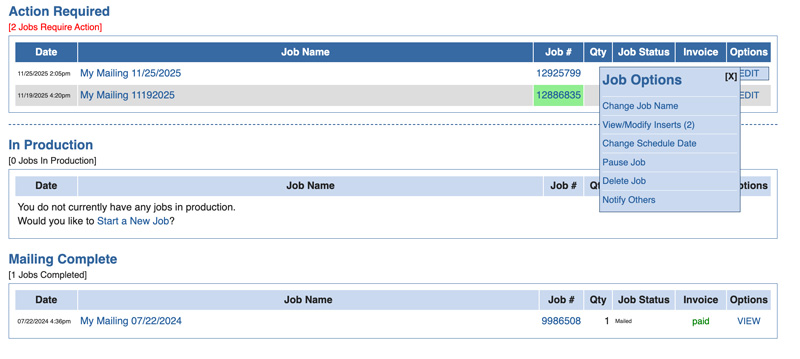
- Track job status at a glance
- View mailing volume, timing, and sending expectations
- Quickly access recent uploads and address lists
- Manage Certified Mail tracking (and Electronic Return Receipts — ERR)
- Monitor production (Pause, Stop, Shred, or Continue)
- Pause jobs for a supervisor’s approval (set automatic notifications)
Intuitive Interface
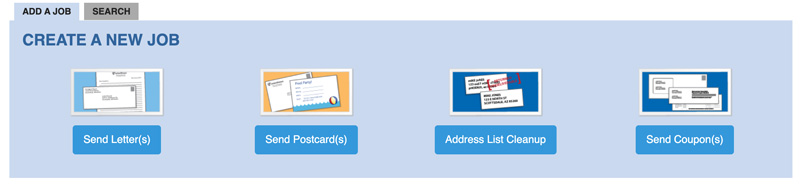
Sending Real Mail in Just a Few Clicks
- Choose from First-Class, Certified Mail, FedEx 2Day Delivery, or Postcards
- See proof/preview of mailing prior to payment
- Name your mailing anything you want to easily keep mailings separated
- Upload your PDF document or use free letter writing tool
- Change the order of your documents within the envelope with drag-and-drop
- Our system automatically calculates postage for extra ounces
Convenience
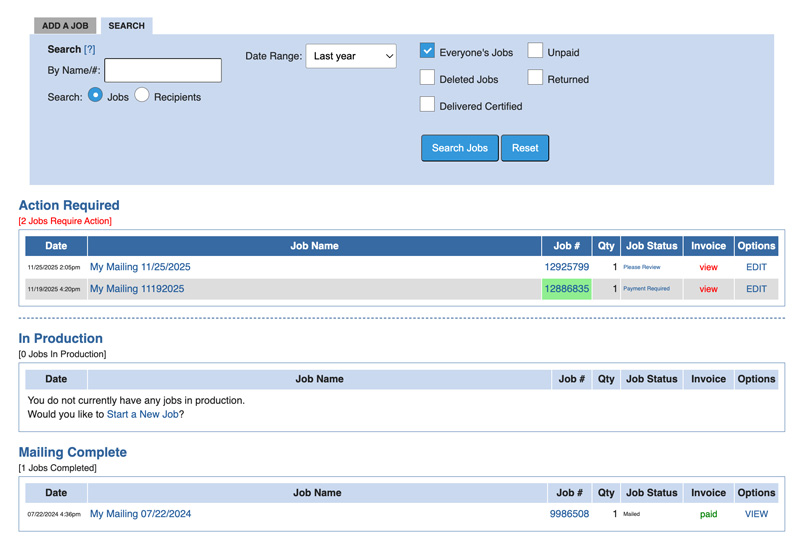
Conveniently Manage Your Team’s Mailing Efforts
One Convenient Location to View All Aspects of Your Team’s Mailings
- Keep track of your mailings
- See all mailing jobs in process or jobs by specific team members
- Robust searching and query tools by mailing type or by recipient name
- Review team member jobs while in process
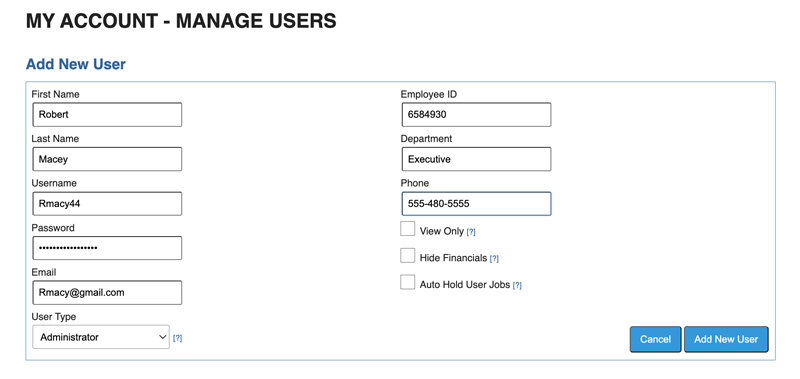
- Set up new users and determine what features they see
Control
Online and in Control
- At a glance, see all mailing jobs in queue
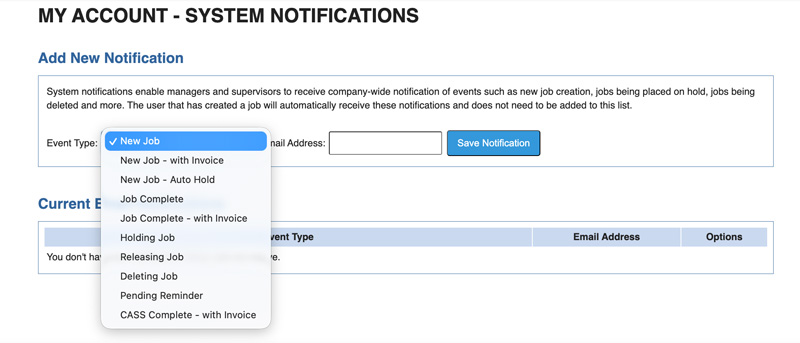
- Set up notifications to stay informed of department productivity
- Halt jobs that look questionable
- Disable accounts of former employees
- Give Accountants access without power to create or modify jobs
Accounting
Accounting Made Simple
- Check account balances at anytime
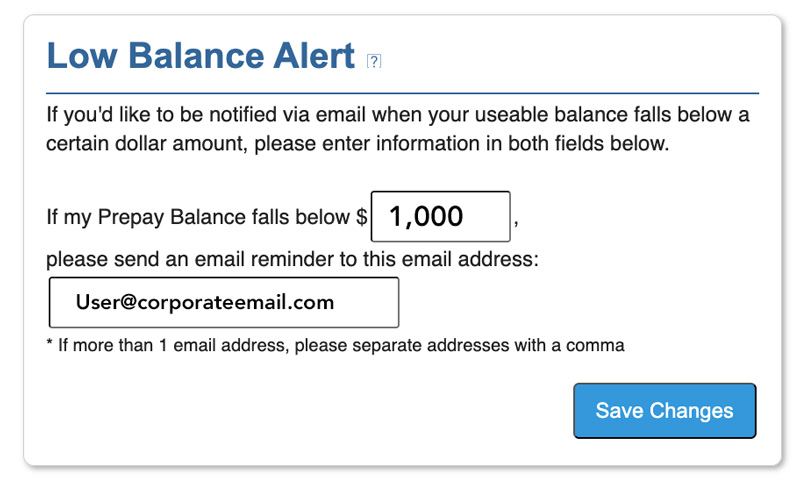
- Receive notification emails when account balances fall below thresholds
- Reprint invoices from the website as needed
- Fund your postage account a variety of different ways
- Filter jobs to review unpaid invoices
- Limit User Role access
User Roles
Build the Perfect Team
- Assign roles for Users, Managers, Admins, and Account Owners
- Limit visibility to only the jobs a user has created
- Grant managers oversight of team or department workflows
- Allow admins to manage users, settings, and billing
- Maintain clean separation of duties and prevent unauthorized changes
.
Secure Platform
Keeping Your Data Private
- End-to-end encrypted communication and file handling
- Strict access controls with permission-based visibility
- Activity logging for full audit traceability
- Redundant systems ensure uptime and data integrity
- Our secure facility and enterprise-level protection is designed and managed to keep your data and that of your clients secure for life
Advanced Notifications
Automate Messages to Teams
- Receive alerts for job progress, holds, or production issues
- Notify managers when team activity changes or spikes
- Get low-balance or billing-related warnings automatically
- Customize notification triggers per team or per user
- Receive updates via email for fast, real-time visibility
Frequently Asked Questions
What is the LetterStream Web Portal?
The Web Portal is your LetterStream account when logged in. It’s our web-based way to build, review, pay for, and track mail! Log in from anywhere, build mailings step-by-step, and we will print and mail it for you.
Who is LetterStream best for?
Anyone who needs to send documents and doesn’t want to go to the post office! It’s ideal if you want fast, self-serve mailings at any volume, from any place.
How do I send mail through the website?
Login and select your option to get started (Send Letters, Send Postcards, etc.). Create a job, upload your documents and addresses, review the proofs, final approval, and pay! After payment, LetterStream prints and mails your pieces.
What file types can I upload?
Address lists must be uploaded as .csv files. For documents, we recommend uploading PDFs, but other common formats are also accepted such as Word and Excel.
Can I create a letter inside the Web Portal instead of uploading a PDF?
Yes! The Letter Automator tool lets you type a letter directly on the site or draft one with AI assistance. Create, save it, and add it to your job as an “insert” (document that will be included in your mailing).
How does proofing work?
Before you approve a mailing, you will be able to review the online proofs of exactly what will be printed and mailed. You can open proofs for each recipient and review several to confirm everything looks perfect, prior to payment.
How quickly do you start working on mailings after payment?
Once you mailings enter our production queue, they enter into our automated systems and get sent to our high speed printers. We are really fast, so it’s best to ensure everything is perfect before payment to ensure you don’t have to stop anything after we’ve begun working on it, which may incur cancelation fees.
How quickly will my jobs be mailed?
We are fast with mailout times as well. We guarantee 2-business days turnaround by default, but you’ll often see your jobs go out faster than this. If you need to guarantee faster mailout time you can select Expedite processing (next business day mailout) or Rush processing before 3pm Arizona time (same business day mailout).
Can I schedule a mailing for a future date?
Yes. You can use the Schedule job option to ensure it doesn’t get mailed until a specific date. The date must be:
- At least 2 business days from day of submission.
- No more than 6 months away.
- Weekends and holidays are not available for scheduled dates.
Do you keep a history of what I mailed?
Absolutely. Your account stores job history, mailing details, and past documents so you can review, re-use, or audit previous mailings anytime.
Can I remove my mailing history?
Yes. The Account Owner can enable the Purge option to remove documents from your account.
Is tracking available through the portal?
For trackable mail types, you will be able to see tracking status updates.
Can multiple people on my team use the same account?
Yes. The Manage Users page allows Administrators to create logins for anyone within their company, along with the ability to assign appropriate roles and permission settings.
Are there rules about what I can send through LetterStream?
Yes. LetterStream does not allow scam, illegal, or deceptive mailings. You must send legitimate content and use a valid return address; we cooperate with authorities to prevent abuse.
Account Features
-
Access account anywhere with internet
-
Unlimited send quantities (no minimums)
-
Unlimited mailings (no monthly fees)
-
Mailing history access
-
Job building tools
-
Mailing reports
-
Multi-user access levels (no additional fees)
-
Help Knowledge Base
-
One-year data retention
-
HIPAA privacy and security compliance
-
Scheduled future mailings
-
Online document storage for reuse
-
Instant online proofs
-
Job status email notifications
-
Detailed past mailing records
-
Document creation tools
-
Training videos
-
Multiple paper colors and sizes
-
Black-and-white or full-color printing options
-
Postage-paid return envelope support
-
Team mailing notifications
-
Prior job lookup tools
-
PDF checking tools