

If you’re new to LetterStream, welcome! You’re about to discover just how easy it is to send mail online, even high-volume mailings—without the hassle of printers, envelopes, or Post Office visits. Whether you’re sending HOA violation notices, legal documents, invoices, or customer statements, LetterStream makes mailing fast, efficient, and stress-free.
📌 Watch the Video Tutorial Below!
Sending Your First Letter with LetterStream
And keep reading if you want the breakdown of how to send your first letter through your LetterStream account, from start to finish.
Step 1: Log Into Your LetterStream Account
First things first—log into your LetterStream account. If you don’t have an account yet, signing up is quick and simple. Once inside, you’ll see your dashboard, where you can manage your mailings, view job history, and track sent letters.
Step 2: Start a New Mailing Job
To send your first letter, click “Create a New Job.” This is where you’ll set up the details for your mailing.
- Choose the type of mail you’re sending (First-Class Mail, Certified Mail, or FedEx 2Day®).
- Select single or multiple recipients—you can send one letter or a bulk mailing in the same job.
- Upload your PDF file containing the letter(s) you want to send or your CSV file of contacts.
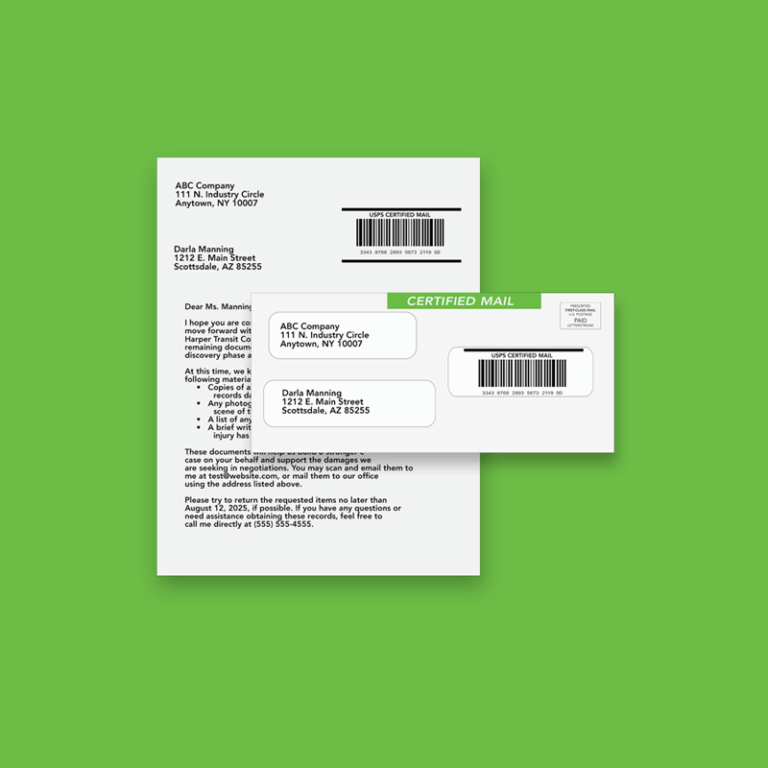
Pro Tip: Your document should be properly formatted with the recipient’s address visible in the correct windowed-envelope position. Try our PDF PreFlight tool to make sure your document is formatted correctly.
Step 3: Review Your Document & Addressing
Once your PDF or CSV file is uploaded, LetterStream’s online mailing service will automatically check for proper formatting. You’ll be able to preview your letter and make sure everything looks good before sending.
Step 4: Choose Printing & Mailing Options
Now, it’s time to customize your mailing:
Paper Type: Standard white or specialty paper
Envelope Style: Single-window, double-window, or custom envelopes
Step 5: Final Review & Checkout
Before submitting, review the details:
Preview your letter one last time
Confirm addresses and recipients
Verify your mailing preferences
Once everything looks good, proceed to checkout, where you can select your payment method and submit your mailing job.
Step 6: Tracking & Confirmation
If you choose Certified Mail, after sending, you can track the status of your mailing in your LetterStream dashboard. You’ll receive updates on when it’s printed, mailed, and delivered—giving you peace of mind that your letter is on its way.
Need to send multiple notices? LetterStream also specializes in bulk mailing solutions for HOAs, law firms, and businesses.
And That’s It! 🎉
You’ve successfully sent your first letter through LetterStream’s online mailing service—without ever stepping foot in a Post Office. Whether you’re managing HOA mailings, legal notices, invoices, or critical business mail, LetterStream takes care of the heavy lifting so you can focus on what matters most.
Ready to send your next letter? Log in and get started today! And if you have any questions check out our Chat Help located in the right-hand corner of our website, which provides help 24/7.
LetterStream offers bulk printing and mailing services allowing companies to send physical mail online. Whether it’s online Certified Mail, First-Class Mail, FedEx 2Day, or postcards, we give both small businesses and large corporations that time and freedom back to work on tasks that better serve the company. If you’re interested in creating a free account, you can do so, here.