

Introduction
Managing business mail manually drains time, creates compliance risks, and leaves organizations without reliable proof of delivery. A business mailing service solves these problems by automating the entire mail workflow—from document upload through printing, postage, and tracking—so teams can focus on their core work instead of standing at the post office.
This article covers how automated mailing solutions replace traditional mailroom functions, the specific components of print-and-mail workflows, and the tracking capabilities essential for business-critical communications. The focus is on transactional and compliance mail—legal notices, invoices, healthcare communications, and HOA notifications—rather than direct mail campaigns or marketing mail.
A business mailing service is an automated solution that handles printing, addressing, postage, and delivery tracking for organizations, replacing manual mailroom processes with streamlined digital workflows.
Organizations seeking to modernize their mail operations will learn:
- How online print-and-mail workflows eliminate manual processing
- The tracking and proof of delivery options that ensure compliance
- Cost savings compared to maintaining an internal mailroom
- Implementation steps for transitioning to automated mailing
- How Certified Mail, FedEx 2Day, and other service levels work for different needs

Understanding Business Mailing Services
A business mailing service refers to a third-party or cloud-based solution that automates physical mail operations for organizations. As a comprehensive mail service, a business mailing service handles all aspects of document mail sending efficiently, offering a streamlined alternative to traditional mail services like USPS or specialized providers such as LetterStream. These services replace or augment internal mailrooms by handling document printing, folding, inserting, addressing, postage, sending, and tracking (if opted in) through a single web portal.
Rather than having staff print letters, stuff envelopes, apply postage, and make trips to the post office, organizations upload documents digitally, and the service manages everything from there. The result is faster turnaround, reliable tracking, and documented proof of sending for every piece of mail sent.
Core Components of Business Mailing Services
Online print-and-mail workflows form the foundation of modern business mail operations. Organizations submit documents—PDFs, statements, legal notices—through secure upload portals.
Postage calculation happens automatically based on weight, mail class, and service level. Whether sending First-Class Mail, priority mail, or Certified Mail, the system applies correct postage and generates compliant labels without manual intervention.
These components connect directly to organizational efficiency. Teams no longer manage mail manually, which means fewer errors, consistent mail sending, and time savings that compound with every mailing cycle.
Types of Business Mail Communications
Different communications require different handling, and business mailing services accommodate the full range of business-critical mail:
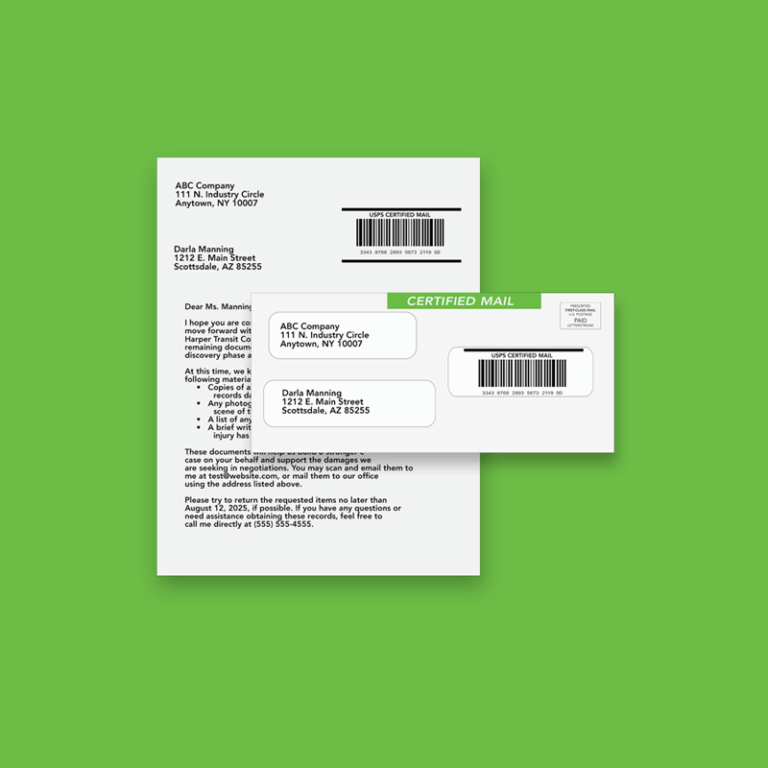
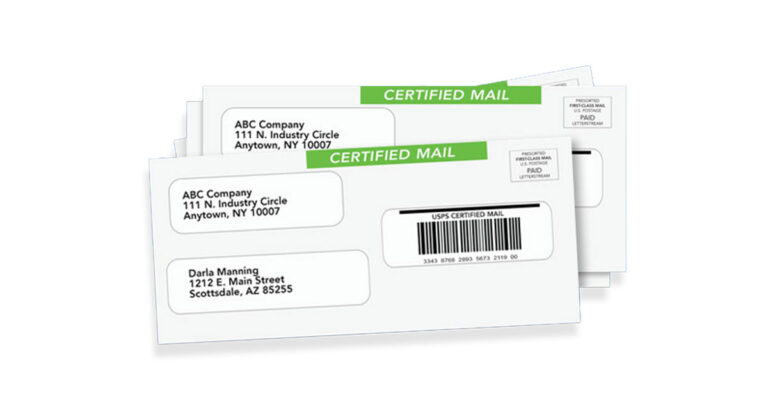
Certified Mail provides proof of mailing and delivery attempt for legal notices, contract documents, and compliance communications. Legal offices and HOAs rely on Certified Mail to meet statutory deadlines and maintain defensible records.
Invoices and Statements follow predictable billing cycles and benefit from automated batch processing. Finance teams can upload files once and let the service handle printing and mailing on schedule.
Healthcare Communications carry strict compliance requirements. Patient notifications, appointment reminders, and insurance documents require secure handling of protected health information throughout the mail workflow.
HOA and Community Notices often carry legal weight—lien notices, assessment letters, and violation communications need reliable mail sending.
Understanding these categories helps organizations select the right service levels and tracking options for their specific needs. The next section explores how automation transforms these workflows from manual burdens into efficient processes.
Note: Always verify compliance requirements for your industry, as certain types of mail—such as legal or healthcare communications—may have additional handling or security requirements.

Automated Mailing Workflows and Implementation
Moving from manual mailroom operations to automated business mailing services requires understanding how each step of the workflow changes. What once involved printing, folding, addressing, and trips to the post office becomes a streamlined digital process.
Online Document Processing
Organizations can upload documents directly into online mailing platforms for printing and mailing. These platforms streamline the process of sending business communications such as invoices, statements, notices, checks, and customer letters without requiring in-house printing or mailing operations.
Files can be submitted individually or in bulk, allowing businesses to manage both one-time and recurring mailings efficiently. Many platforms also support mailing list uploads, variable data processing, and multiple print and postage options to accommodate different communication needs.
By centralizing document submission, printing, and mail fulfillment in a single workflow, online document processing platforms help businesses reduce manual handling, improve operational efficiency, and scale outbound mail more effectively.
Mail Status and Proof of Receipt
Many online mailing platforms provide tracking tools that give businesses greater visibility into the status of their mailings after submission. Depending on the mail class and service used, users may be able to view processing updates, mailing activity, and delivery status information through an online dashboard or reporting system.
Certified and tracked mail services can provide additional documentation, including proof of mailing, delivery confirmation, and recipient signature records when applicable. Electronic tracking records help organizations maintain documentation for operational, legal, or compliance-related purposes.
Reporting features also help businesses monitor mailing activity across multiple jobs, review historical records, and identify delivery issues such as returned or undeliverable mail. By centralizing tracking information, online mailing platforms improve visibility and simplify mail management for organizations handling high volumes of outbound communications.
Integration and API Capabilities
Business mailing services connect with existing systems to automate high-volume operations entirely. Integration with CRM platforms, accounting software, and ERP systems allows mailings to trigger automatically based on events—a new invoice is generated, the system sends the mail without manual intervention.
Mailing APIs let development teams build custom workflows. Legal software can automatically send Certified Mail when case deadlines approach. Property management systems can trigger HOA notices when assessments come due.
Understanding these capabilities sets the stage for practical implementation. The next section addresses how organizations actually transition from manual processes to automated mailing.

Implementation Process and Service Comparison
Transitioning from an internal mailroom to a business mailing service follows a predictable path. Organizations that approach it systematically see faster results and fewer disruptions.
Getting Started with Business Mailing Services
Organizations should consider this transition when manual mail handling consumes significant staff time, when tracking and proof of mailing and delivery requirements are increasing, or when compliance documentation needs improvement.
The implementation process typically follows these steps:
- Assessment: Evaluate current mail volume by type, identify compliance requirements, and document existing costs including labor, equipment, supplies, and postage
- Provider Selection: Choose a service with appropriate compliance certifications, integration capabilities, and service levels for the organization’s specific needs
- Pilot Testing: Run a subset of mailings through the new system to verify quality, timing, and tracking functionality
- Training and Full Deployment: Train staff on the web portal and workflows, then transition remaining mail operations to the service
During setup, organizations can review all pricing details before checkout, ensuring transparency and no hidden fees as they complete the process.
Most organizations complete pilots within a few hours to a few weeks. Full deployment follows based on volume and complexity.
Mailing Service Capabilities Overview
Feature | Common Platform Capability | More Advanced Capability |
Volume Capacity | Supports individual jobs and batch mailings | Supports higher-volume recurring or operational mailings |
Mailing Options | Standard letters, notices, invoices, and statements | Certified mail, checks, postcards, or specialized mail types where available |
Tracking Options | Job status updates and mailing history | Delivery tracking or confirmation for eligible mail classes |
Submission Method | Upload documents through an online portal | Automated submission through integrations or API access where supported |
Compliance Support | Mailing records and account history | Additional documentation, reporting, or security controls depending on the provider |
Support Level | Self-service tools and standard support | Account support or custom assistance for larger mailing needs |
Organizations evaluate mailing platforms based on factors such as mail volume, operational workflows, tracking needs, and the level of automation required. The next section explores common considerations businesses review when implementing and managing online mailing solutions.
Common Challenges and Solutions
Organizations transitioning from manual mailroom processes encounter predictable challenges. Understanding these issues and their solutions helps ensure smooth operations.
Volume Management and Deadlines
Legal notices and compliance communications often face statutory deadlines. Missing a Certified Mail deadline can create legal liability or regulatory problems.
Automated mailing services address this through batch processing capabilities, clear cut-off times, and print-on-demand systems that scale with volume. Organizations can upload large volumes and trust that processing happens within predictable timeframes. Many services offer same business day processing for uploads received before specified cut-off times.

Compliance and Documentation Requirements
Different use cases require different levels of documentation. Some legal jurisdictions only accept physical return receipts (the green card) while others permit electronic delivery confirmation. Healthcare communications require HIPAA-compliant handling throughout the workflow.
The solution involves selecting services with appropriate certifications and understanding specific requirements upfront. Quality providers offer secure file transfer, encrypted document storage, chain of custody documentation, and configurable service options. Organizations should verify that their chosen provider meets the specific compliance standards their industry requires.
Cost Control and Budget Predictability
Internal mailrooms carry hidden costs—labor time, printer maintenance, supply inventory, and the opportunity cost of staff handling mail instead of core work. These costs accumulate without clear visibility.
Business mailing services provide transparent per-piece pricing that includes printing, postage, and processing. Organizations can calculate exact costs before mailing. Volume discounts, permit postage rates, and address validation tools (which reduces returned mail) often result in 30-50% total cost reduction compared to internal operations.
A healthcare radiology company that switched from distributed site-by-site mailing to a centralized business mailing service reduced cost per piece while saving approximately one hour per location daily—time staff redirected to patient care.

Conclusion and Next Steps
Business mailing services transform mail operations from a manual burden into an efficient, trackable process. Organizations gain reliable mailing, documented proof, compliance features, and significant time savings compared to maintaining internal mailroom functions.
The transition from manual to automated mailing is straightforward:
- Evaluate current mail volume, types, and mailing requirements
- Document existing costs, including labor, equipment, and supplies
- Identify compliance requirements for your specific communications
- Request demonstrations from business mailing service providers
- Calculate projected cost savings using transparent per-piece pricing
Organizations ready to reduce mailroom burden, improve tracking, and ensure reliable printing and mailing should explore business mailing solutions that match their volume and compliance needs. The right service pays for itself through time savings, reduced errors, and documented proof of every communication sent.
Frequently Asked Questions
How long does it take to set up a business mailing service?
Getting started with LetterStream is designed to be quick and straightforward. Businesses can create an account, upload documents, and begin sending mail without lengthy onboarding or complicated setup requirements.
For organizations with more advanced workflows or higher mail volumes, setup time may vary depending on operational needs, internal approval processes, and mailing requirements. Many businesses are able to begin testing and sending mail shortly after account creation, while larger implementations may take additional time for process alignment and workflow planning.
Is there a minimum quantity required to use business mailing services?
Most providers accept low volumes—even hundreds of pieces monthly. Significant discounts and specialized pricing tiers typically become available at thousands of pieces per month. Small business operations can start small and scale as needs grow.
What tracking information is available for Certified Mail?
Certified Mail includes unique tracking numbers, proof of mailing, and delivery attempt documentation through USPS. Return receipts—either physical green cards or electronic versions—provide signature confirmation. All tracking data appears in dashboards for easy access and audit purposes.
How do costs compare to running an internal mailroom?
Internal mailrooms carry labor costs (often one to two hours daily per employee handling mail), equipment, supplies, and maintenance. Business mailing services typically show 30-50% total cost reduction when accounting for all expenses. The shift also moves costs from unpredictable internal overhead to transparent per-piece pricing.
Can business mailing services integrate with existing software systems?
Yes. Most services offer API access for custom integrations with CRM platforms, accounting software, and legal systems. This allows mailings to trigger automatically from business events without manual intervention.
What compliance features should organizations require?
Organizations should review the security and document handling practices of any online mailing platform they use. Common considerations include secure file transfer methods, encrypted data handling, access controls, mailing records, and operational safeguards for sensitive documents.
Businesses in regulated industries may also need to evaluate whether a provider supports specific compliance or security requirements relevant to their operations, such as healthcare or financial communications. Physical security procedures, employee access controls, and documented handling processes can also be important when managing confidential mail.
How does mailing logistics work for business mailing services?
Mailing logistics involve preparing your mailpieces and then arranging to ship them to the post office or distribution center for delivery. This process ensures your mail is handled efficiently and reaches recipients on time.
How can I ensure my bulk mailings are sent successfully?
Successful bulk mailings typically depend on accurate recipient data, properly formatted documents, and selecting the appropriate mailing options for the type of communication being sent. Organizations should review addresses carefully, verify mailing lists are up to date, and ensure documents meet postal formatting and addressing requirements.
Many online mailing platforms help streamline this process by automating printing, addressing, and mail preparation workflows, reducing manual handling and improving consistency across large mailing jobs. Tracking and reporting tools can also help organizations monitor mailing activity and identify delivery issues over time.