

Introduction
Manual mail handling creates bottlenecks that slow business operations to a crawl. Printing documents, stuffing envelopes, filling out Certified Mail forms by hand, and making trips to the post office consumes hours of staff time every week. These steps are characteristic of traditional direct mail processes, which are manual, slow, and less flexible compared to automated solutions. Physical mail automation eliminates these inefficiencies by digitizing the entire process—from document creation to delivery tracking—through online platforms designed for business-critical correspondence.
This guide covers how organizations can automate Certified Mail, legal notices, invoices, compliance documents, and other important documents that require proof of delivery and regulatory compliance. Marketing mail campaigns and promotional postcards fall outside this scope. The target audience includes busy teams at HOAs, legal firms, healthcare organizations, and any business handling time-consuming correspondence with strict deadlines.
Direct answer: Physical mail automation uses software and online platforms to digitize traditional mailroom operations, enabling organizations to create, send, track, and archive business-critical postal mail without manual preparation or post office visits.
By the end of this article, readers will understand:
- How automated workflows replace manual mail handling steps
- Which core features matter most for compliance-driven mail
- The implementation process for transitioning from manual to automated systems
- Measurable cost and time savings organizations can expect
- Solutions to common challenges like missed deadlines and missing delivery proof
- How automation leads to improved efficiency in mailroom and business operations

Understanding Physical Mail Automation
Physical mail automation refers to the technology and software systems that transform traditional mailroom tasks into digital, streamlined processes. Instead of printing, folding, stuffing envelopes, and hand-writing Certified Mail forms, organizations upload documents to a direct mail platform that handles printing, addressing, mailing, and tracking automatically.
This technology matters most for organizations struggling with high mail volumes, strict tracking requirements, and compliance deadlines. Legal firms sending court filings, HOAs distributing rule updates, healthcare providers mailing HIPAA-sensitive notices, and businesses sending invoices all benefit from automating physical mail rather than relying on manual processes.
What is Direct Mail Automation?
Direct mail automation is the process of leveraging software and technology to streamline the creation, production, and sending of physical mail—such as letters, postcards, and brochures—without the need for manual mail handling. With direct mail automation, companies can design, print, and send personalized mail automatically, using customer data to tailor each piece for maximum impact. By automating physical mail, organizations can significantly improve efficiency, reduce operational costs, and enhance the effectiveness of their campaigns. This approach allows businesses to reach customers with timely, relevant messages while eliminating the repetitive, time-consuming tasks traditionally associated with mail handling.
Automated Workflow Systems
Automated workflows replace each manual step in mail preparation with digital processes. Users upload a document, select recipients from address lists or CRM systems, choose mail type (standard, Certified, or priority), and schedule sending. The platform handles everything else—printing, envelope stuffing, form completion, and postal acceptance.
This connects directly to the core value of mail automation: eliminating bottlenecks. Where manual mail handling might take 10-15 minutes per Certified Mail piece (printing, filling the green card, carrying mail to the post office), automated workflows reduce this to minutes of online work with same-business-day processing available from many providers.
Digital Integration Capabilities
Modern direct mail automation software connects with existing business systems—CRM systems, legal practice management tools like Clio, accounting software, and healthcare records platforms. These integrations allow organizations to trigger mailings automatically based on customer data, case status changes, payment due dates, or compliance deadlines.
Direct mail automation can also be integrated with digital channels and digital campaigns, enabling businesses to create seamless, multi-channel communication strategies. By combining physical mail with digital campaigns, organizations can enhance targeting, engagement, and overall marketing effectiveness.
For example, a legal firm using Clio can send Certified Mail directly from their case management dashboard. An HOA management company can automatically mail violation notices when triggered by its property management system. This integration capability builds on automated workflows by making mail automation part of existing processes rather than a separate, disconnected task.
The next section explores specific features and how different industries apply mail automation to their operations.
Core Features and Business Applications
With foundational concepts established, organizations need to understand which specific automation capabilities address their operational needs. The following features form the backbone of effective direct mail platforms.
Certified Mail Automation
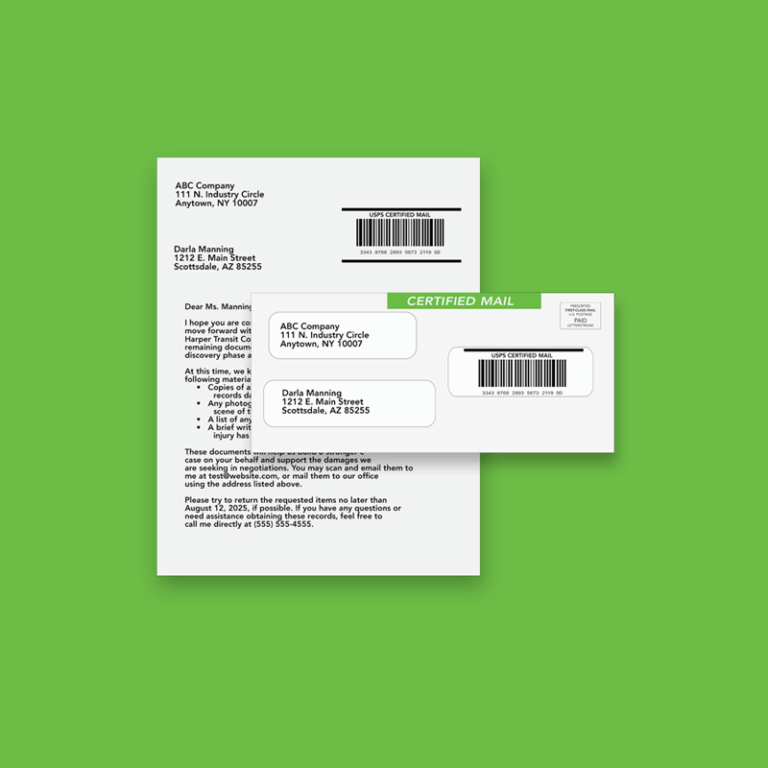
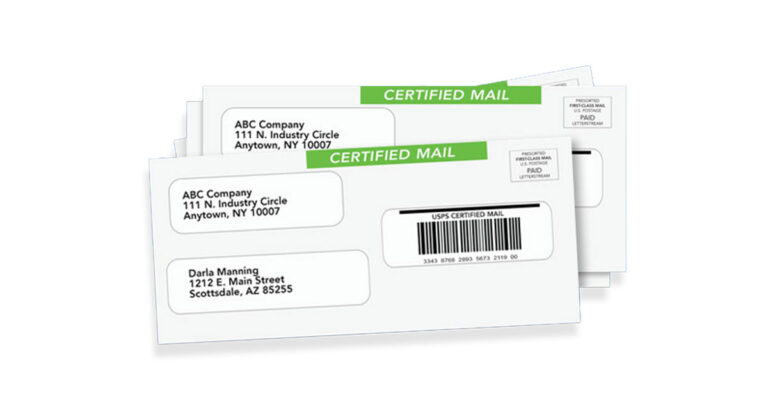
Certified Mail automation eliminates the most time-consuming aspect of compliance mail: the manual paperwork. Organizations send Certified Mail online by uploading documents, entering recipient addresses (or importing from databases), and selecting Certified Mail with electronic return receipt. The platform generates all required USPS forms, prints and mails the documents, and provides electronic tracking and proof of delivery.
Document Processing and Tracking
Beyond Certified Mail, mail automation platforms handle the full document lifecycle. Users upload PDFs and the system automatically formats them for mailing, generates envelopes, and creates tracking records. Scanning of physical documents can also be incorporated into the automated workflow, enabling digitization and tracking of incoming mail as part of digital mailroom operations. Real-time tracking shows when USPS accepts the mail, when it’s in transit, and when delivery or attempted delivery occurs.
Multi-Format Mail Support
Direct mail automation platforms support various document types and mail formats: letters, invoices, statements, compliance notices, and multi-page documents. They handle different envelope sizes, paper types, and folding requirements without manual intervention.
Industry-specific applications:
- HOA communications: Assessment notices, rule violation letters, meeting announcements, and annual statements
- Healthcare notices: HIPAA-compliant patient billing, appointment reminders, and compliance notifications
- Legal correspondence: Court filings, demand letters, statutory notices, and service of process documentation
- Financial services: Invoices, account statements, payment reminders, and regulatory disclosures
- Educational and organizational communications: Transcripts, financial aid forms, and other documents such as miscellaneous paperwork
These capabilities—Certified Mail, document processing, and multi-format support—provide the foundation for transforming mail operations. The next section addresses how organizations implement these systems.
Mail Automation for Industries
Mail automation offers measurable benefits across a wide range of industries by streamlining the distribution of important documents and communications. In healthcare, organizations use mail automation to send personalized appointment reminders, billing statements, and compliance notifications, ensuring patients receive timely and accurate information. Financial institutions rely on automation to securely sent account statements, tax documents, and regulatory disclosures, reducing errors and maintaining compliance. Educational institutions benefit by automating the distribution of admission letters, report cards, and fundraising campaigns, improving engagement with students, parents, and alumni. Government agencies use mail automation to efficiently send tax returns, benefits statements, and other critical documents to citizens. By automating these processes, organizations in every sector can boost efficiency, minimize errors, and enhance engagement with their audiences.

Implementation Process and Comparison
Moving from manual mail handling to automated systems requires planning, but the process is straightforward for most organizations. This section outlines implementation steps and compares manual versus automated approaches. Organizations can also automate the processing of incoming mail, using digital mailrooms to further streamline operations and improve efficiency.
Setting Up Mail Automation
Organizations typically benefit from mail automation once they send more than 50-100 compliance or Certified Mail pieces monthly, or when missing deadlines creates legal exposure. The implementation process follows these steps:
- Assess current mail volume and types: Document how many pieces go out weekly, what types (Certified, First-Class, Priority), current cost per piece including labor, and error rates
- Choose automation platform with required features: Evaluate providers based on Certified Mail support, tracking capabilities, integration options, security compliance (HIPAA if needed), and pricing structure
- Upload recipient data and document templates: Import address lists from spreadsheets or connect CRM systems; create document templates with variable fields for personalization
- Configure tracking and compliance settings: Set up notification preferences, archive retention periods, and any workflow triggers based on status
- Launch automated workflows: Start with high-priority mail types to validate the system, then scale to additional mail categories
Choosing the Right Direct Mail Automation Software
Selecting the right direct mail automation software is essential for businesses aiming to streamline their mail operations and maximize campaign effectiveness. When evaluating options, companies should prioritize platforms that are easy to use, integrate seamlessly with existing marketing systems, and scale as their needs grow. Key features to look for include advanced personalization, real-time tracking, and robust analytics to measure campaign performance. Leading direct mail automation softwares offer a comprehensive suite of tools to automate mail processes, improve efficiency, and boost customer engagement. By choosing a solution that aligns with their goals and operational requirements, businesses can reduce costs, enhance efficiency, and ensure their direct mail gets sent.
Manual vs Automated Mail Comparison
Criterion | Manual Mail Process | Automated Mail System |
Time to send (per certified piece) | 10-15+ minutes (print, fill forms, post office trip) | 2-3 minutes (upload, address, schedule) |
Tracking capabilities | Manual logs, physical green cards | Real-time digital tracking, automatic updates |
Proof of delivery | Paper return receipts (can be lost/illegible) | Electronic receipts, digital archives, |
Cost per piece | Labor + supplies + postage + error recovery | Platform fee + postage (labor significantly reduced) |
Compliance features | Decentralized records, risk of missing documents | Centralized audit trails, searchable archives, timestamps |
Error rate | Higher (wrong addresses, missing proof, delays) | Lower (address validation, automated forms, digital verification) |
The efficiency gains become clear when examining labor costs. Platform data indicates savings of up to seven minutes per Certified Mail piece through automation. With staff time valued at $25-50/hour, organizations sending 100 certified pieces monthly save 11+ hours of labor—before accounting for reduced errors, eliminated post office trips, and improved compliance documentation. By reducing unnecessary expenses and waste, physical mail automation saves organizations significant money on direct mail campaigns. |
Understanding potential obstacles helps organizations prepare for a smooth transition.

Common Challenges and Solutions
Even with clear benefits, organizations face typical obstacles when managing business-critical mail. These challenges exist whether handling mail manually or implementing automation—but automated systems provide more reliable solutions.
Missing Sending Deadlines
Legal statutes and regulatory requirements often mandate specific mailing dates. Missing a notice deadline can result in default judgments, lost rights, or compliance violations.
Solution: Direct mail automation platforms offer same-business-day processing, ensuring documents uploaded by cutoff times reach USPS the same day. Automated scheduling and calendar integrations help teams track upcoming deadlines. The system captures USPS acceptance timestamps as proof that mail was sent on time—critical documentation if deadlines are ever disputed. LetterStream gets mail out within two business days with 95% of mail going out by next day. An expedited option is offered for same-day.
Lack of Proof and Tracking
Traditional green cards get lost, damaged, or become illegible. Physical filing systems make retrieving proof difficult during audits or legal proceedings. Without reliable proof, organizations face risk in compliance matters and litigation.
Solution: Mail automation platforms provide electronic tracking from acceptance through delivery. Return receipts arrive digitally and are stored in searchable archives—some platforms retain records for 10 years. Blockchain-based document stamping creates tamper-proof proof of content and mailing date. When courts or regulators require documentation, organizations can produce complete audit trails within minutes rather than searching through filing cabinets.
High Manual Labor Costs
Mailroom tasks consume staff time that could go toward higher-value work. Printing, stuffing, addressing, form completion, and post office runs add up quickly—especially for organizations without dedicated mailroom employees.
Solution: Automation eliminates most manual steps. Staff upload documents and manage workflows online rather than handling physical mail. Organizations report significant reductions in time spent on mail operations, with some seeing cost savings of $3+ per letter compared to manual Certified Mail processes. For distributed or remote teams, automation removes the requirement for in-office presence to handle mail tasks.
These solutions demonstrate how the right platform addresses operational pain points while improving compliance and efficiency.
Disaster Recovery and Flexibility
Disaster recovery and flexibility are vital considerations for organizations relying on direct mail automation to support their business and marketing operations. In the face of unexpected disruptions, such as natural disasters or system outages, businesses need the ability to quickly recover and maintain continuity. Cloud-based direct mail automation software provides secure, remote access to mail campaigns and customer data from any location, ensuring that critical communications can continue without interruption. This flexibility allows organizations to adapt to changing circumstances, scale their operations as needed, and minimize downtime. By prioritizing disaster recovery and flexible access, businesses can ensure their mail automation systems remain resilient and capable of supporting their marketing objectives—even in the most challenging environments.

Conclusion and Next Steps
Physical mail automation transforms how organizations handle business-critical correspondence. By replacing manual preparation with digital workflows, companies gain faster processing, reliable tracking, compliant proof of mailing, and meaningful cost savings. The technology has matured to the point where platforms integrate with existing CRM systems and business software, making implementation practical for teams of any size. Physical mail automation solutions are now used by organizations around the world to streamline business-critical correspondence.
Immediate next steps:
- Audit current mail processes—document volume, time per piece, error rates, and compliance requirements
- Calculate potential savings based on current labor costs and mail volume
- Research automation platforms that support required features (Certified Mail, integrations, security compliance)
- Pilot the system with high-priority mail types like legal notices or compliance documents
- Scale automated workflows across additional mail categories
Organizations with enterprise-level volume or complex integration requirements may want to explore API-based solutions and custom fulfillment options. Related topics include Certified Mail best practices, print-and-mail API integration, and industry-specific compliance requirements for healthcare, legal, and financial services mail.
Frequently Asked Questions
What types of business mail can be automated?
Organizations can automate Certified Mail, First-Class letters, invoices, statements, legal notices, compliance documents, HOA communications, healthcare notices, and other important documents requiring proof of sending. Marketing postcards and promotional direct mail campaigns can also be automated, though business-critical compliance mail typically delivers the highest ROI from automation.
How quickly can automated mail be sent?
Processing through the automation platform typically occurs within two business days and can be expedited to same-day as long as documents are uploaded before cutoff times. USPS transit time depends on the mail class selected—Certified Mail, First-Class, or Priority. Print and mail companies’ send times are not the same as USPS transit times as those are out of the companies hands.
Is automated mail legally valid for compliance requirements?
Yes. Automated Certified Mail uses USPS-authorized tracking and provides the same proof of mailing and delivery as traditional Certified Mail. Electronic return receipts are accepted by courts in most jurisdictions. Some platforms offer blockchain-based document stamping for additional legal defensibility. Organizations should verify specific requirements with their legal counsel and check local court rules.
What tracking and proof options are available?
Options include USPS acceptance scans (proof of mailing), transit tracking updates, delivery confirmation through Certified Mail, signature capture, electronic return receipts, and digital archives. Advanced platforms offer document hashing or blockchain timestamps to prove content and mailing date. All tracking data and proof remain accessible through online dashboards and searchable archives.
How much can organizations save with mail automation?
Savings depend on current mail volume and labor costs. Organizations typically save 7+ minutes per Certified Mail piece by eliminating manual form completion, envelope stuffing, and post office trips. At $30/hour labor cost, 100 monthly certified pieces represent $350+ in labor savings alone. Additional savings come from reduced errors, eliminated green card replacements, and more efficient compliance documentation.
Can mail automation integrate with existing business systems?
Most direct mail automation platforms offer integrations with popular CRM systems, legal practice management software, accounting tools, and healthcare records systems. API access allows custom integrations for organizations with specific workflow requirements. These connections enable automated triggers—sending mail based on case status changes, payment due dates, or compliance deadlines without manual intervention.