

Introduction
Managing a traditional mailroom drains time and resources that busy organizations cannot afford to lose. Between printing documents, stuffing envelopes, and making trips to the post office, the mailing process creates bottlenecks that slow operations and increase costs. Learning how to send mail online eliminates these inefficiencies by transforming physical mailroom tasks into streamlined digital workflows.
This guide covers online mail services, automated print-and-mail workflows, and digital alternatives to handling outbound mail internally. The content addresses businesses, HOAs, legal offices, healthcare organizations, and nonprofits dealing with high-volume mail requirements. Whether sending Certified letters for legal compliance or bulk statements to thousands of recipients, online mail services offer a practical path to modernizing operations.
Direct answer: Online mailing services allow users to upload documents digitally, select from various mailing options, and have professional facilities handle printing, postage, and sending—all accessible from a computer in just a few clicks.
By the end of this guide, readers will understand:
- How online mailing services replaces traditional mailroom functions
- The differences between Certified Mail, standard letter mail, and bulk mailing solutions
- Step-by-step implementation for setting up online mail services
- Solutions for common challenges during the transition
- Cost comparisons and tracking capabilities across service types

Understanding Online Mailing Services
Digital mail processing refers to systems that handle outbound mail electronically, from document upload through mail sending. Rather than maintaining printers, envelopes, stamps, and storage space, organizations upload files to a secure platform and let vendors manage the rest. This approach directly addresses the hassle of traditional mail operations while providing Certified Mail tracking and compliance documentation.
Digital Mail Processing
Digital mail processing works by accepting uploaded documents (typically PDF or CSV files), verifying the recipient’s address, printing on professional equipment, and mailing through the United States Postal Service, FedEx 2Day or other carriers. The system eliminates the need for physical infrastructure, manual address labeling, and trips to the post office.
This connects directly to the core value proposition: organizations no longer need dedicated mailroom staff, filing cabinets full of return receipts, or storage space for forms and supplies. Everything moves to a cloud-based workflow accessible from any computer with an account.
Automated Print-and-Mail Workflows
Automated workflows extend basic upload functionality by integrating directly with business software. Law firms can trigger Certified Mail sending from within their case management system. Healthcare organizations can automate patient notices from their billing platform. HOAs can schedule violation letters or annual notices to process automatically.
API integration allows ERP systems, CRM platforms, and custom software to initiate mailings, check USPS tracking status, and retrieve proof documentation without manual intervention. This automation reduces errors and saves hours of administrative work weekly.
The variety of available service types determines which approach fits specific organizational needs.

Types of Online Mailing Services
Building on the foundation of digital processing and automated workflows, online mail services divide into distinct categories based on compliance requirements, delivery speed, and volume needs. Each service type addresses different business scenarios.
Certified Mail Online
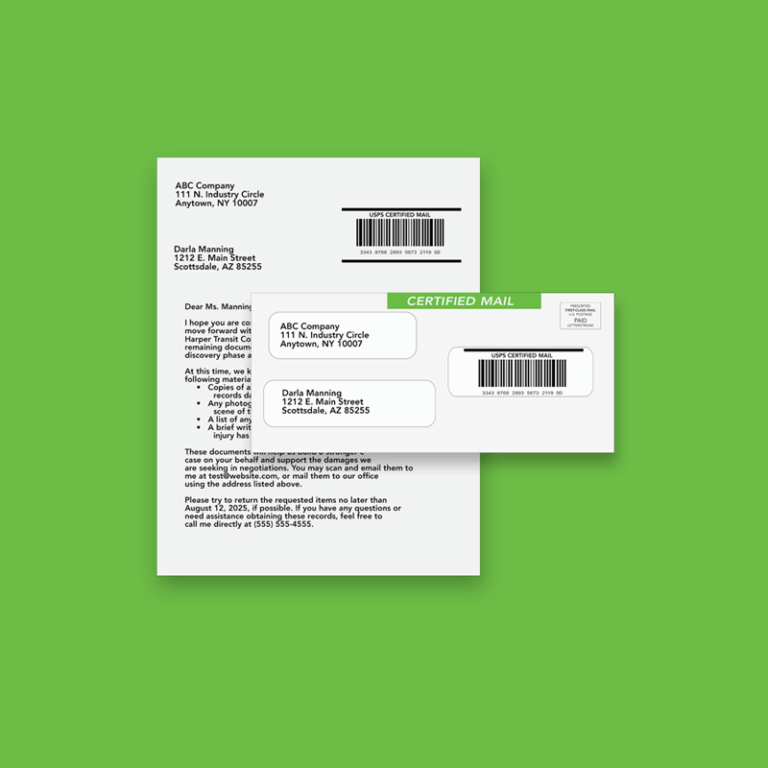
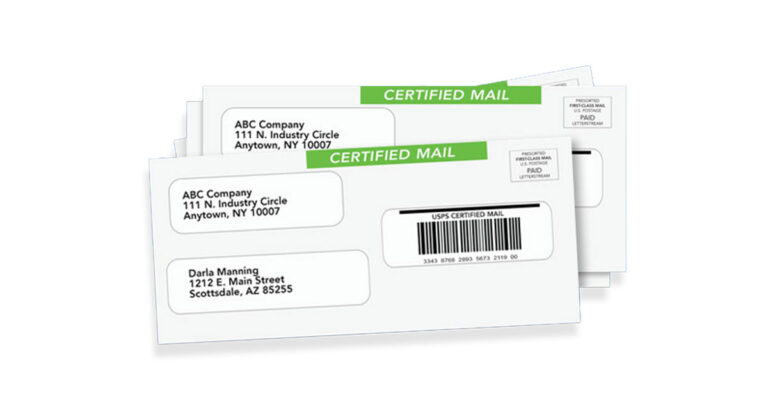
USPS Certified Mail provides proof of mailing and delivery, making it the preferred choice for legal documents, HR terminations, foreclosure notices, and regulatory communications. When courts or agencies require evidence that mail was sent and delivered, certified letters create the necessary paper trail.
Online Certified Mail services generate the tracking number, process the Electronic Return Receipt, and store proof documentation digitally for years. Many platforms maintain 10-year archives specifically for legal professionals who need to retrieve USPS proof long after delivery. The Electronic Return Receipt returns a signed confirmation within 24 hours of delivery—far faster than waiting for a physical green card through the mail.
Standard Letter Mail
USPS First-Class Mail handles routine business correspondence: invoices, statements, customer notices, and account communications. Standard letter mail costs less than Certified options and suits situations where legal proof is unnecessary.
First-Class Mail typically arrives within 1-5 business days, but sometimes longer. Online services accept document uploads, handle printing on various paper options, including double-sided, and manage postage automatically. This category works well for organizations sending hundreds or thousands of pieces monthly without compliance tracking requirements.

Implementation and Setup Process
Moving from traditional mailroom operations to online mail services requires a structured approach. Organizations that plan their transition carefully achieve faster results and avoid common pitfalls.
Step-by-Step Setup Process
When to implement: Organizations should consider online mail services when current mail volume exceeds 50-100 pieces monthly, when compliance requirements demand better tracking, or when staff time spent on mail preparation creates operational bottlenecks.
- Account setup: Choose a provider based on volume needs and compliance requirements. Create login credentials, configure security settings, and establish user permissions. Healthcare organizations should verify HIPAA compliance; legal offices should confirm acceptable proof formats.
- Document upload and preparation: Gather documents in accepted formats (PDF preferred). Prepare recipient address lists as CSV or Excel files. Run addresses through verification tools to catch errors before mailing. Many platforms offer templates for common notice types.
- Service selection: Choose mail class (First-Class, Priority Mail, Marketing Mail, FedEx 2Day), add Certified Mail service if needed, select Electronic Return Receipt, and configure envelope and paper options. Checkout processes typically show all-in pricing, including postage.
- Tracking Certified Mail: Monitor Certified Mail status through dashboards showing real-time USPS tracking updates. Download proof documentation as needed. Set up notifications for updates.
Choosing the right service type prevents both overspending and under-compliance. However, implementation challenges require attention.

Common Challenges and Solutions
Transitioning from traditional mailrooms to online mailing services introduces specific obstacles. Addressing these proactively ensures smooth operations.
Document Format and Upload Issues
Solution: Standardize on PDF format for all documents before upload. Create address files with required fields (name, street, city, state, ZIP) in consistent CSV layouts. Use the platform’s preflight checks to catch formatting errors before processing. Many services offer templates for certified letters and common notice types that reduce preparation time.
Tracking and Compliance Documentation
Solution: Select Electronic Return Receipt instead of physical green cards to receive delivery confirmation faster and store proofs digitally. Confirm that the chosen platform meets industry requirements (HIPAA for healthcare, court-accepted ERR formats for legal). Establish retention policies matching regulatory requirements—most compliant platforms offer 10-year archives with secure access controls. Create a message to relevant staff explaining how to retrieve proofs when needed.
Cost Management and Volume Planning
Solution: Analyze current mail volume by type before selecting a provider. Calculate total costs, including postage, printing, and vendor fees, rather than comparing postage alone. Batch similar mailings to reduce per-piece costs.
These solutions address the most common obstacles, positioning organizations for successful implementation.
Conclusion and Next Steps
Online mail services transform time-consuming mailroom operations into efficient digital workflows. Organizations that send mail online gain tracking capabilities, compliance documentation, and significant labor savings while reducing errors and eliminating trips to the post office. Cost reductions of 30-70% and ROI of 3-5x within the first year are documented across industries.
Immediate next steps:
- Quantify current outgoing mail volume and categorize by type.
- Map legal and notice obligations that require tracking or proof of sending.
- Research providers based on compliance requirements and integration needs
- Run a pilot program with 100-500 mail pieces to test the complete workflow
- Evaluate results and scale to full implementation
Related topics worth exploring include mailing API integration for automated workflows, advanced tracking solutions for compliance-heavy industries, and specialized services for HOA mailings, legal notices, invoices and statements, and healthcare communications.
For organizations ready to eliminate mailroom bottlenecks and modernize their mailing operations, exploring online mail solutions offers a clear path to efficiency and compliance.
Frequently Asked Questions
How secure is sending mail online?
Reputable online mail services use 256-bit encryption, secure cloud storage, and role-based permissions to protect documents. Healthcare organizations should verify HIPAA compliance before selecting a provider. Legal offices benefit from platforms offering secure 10-year archives with access controls. Users can cancel pending jobs before processing if needed.
What types of documents can be sent through online mail services?
Online services handle invoices, statements, legal notices, contracts, medical communications, HOA violations, donor letters, postcards, and virtually any business correspondence. Most platforms accept PDF file uploads. Large documents may require flat envelopes. Full color and black-and-white printing options accommodate different needs.
How much does it cost compared to traditional mailing?
While CertifiedMail with Electronic Return Receipt may cost $8-11+ per piece through online services, total costs often decrease when factoring in eliminated labor, supplies, and post office trips.
Can online mail services handle Certified and legal mailings?
Yes. Many platforms specialize in USPS Certified Mail with digital proofs acceptable in courts. Electronic Return Receipts offer signed confirmation within 24 hours of signature. Platforms store proof documentation for years, and some integrate directly with legal practice management software. Courts and regulatory agencies routinely accept these digital records.
What tracking information is provided?
Certified Mail provides complete tracking showing acceptance, transit, delivery attempts, and final delivery with the recipient’s signature. Users access dashboards displaying status for individual pieces or batch tracking reports. Electronic Return Receipts include the delivery signature, date, and time—all downloadable as PDF forms for records. Standard mail offers limited tracking unless upgraded.