

Introduction
Going to the post office to send Certified Mail or buy postage wastes hours every week—time that busy professionals, HOA managers, and office administrators simply don’t have. The traditional mailing process involves printing documents, stuffing envelopes, applying stamps, and making trips to the post office, all while hoping nothing gets lost along the way. For organizations sending high-volume correspondence, this old-fashioned way of handling mail creates bottlenecks that slow down critical business operations. Instead, you can easily mail letters online.
Sending a physical letter online allows your message to stand out and be more memorable compared to digital communication like email, making a greater impact on the recipient.
The ability to mail letters online has transformed how businesses, legal professionals, healthcare organizations, HOAs, and nonprofits handle their physical mail requirements. This guide covers the complete workflow for digital postal services—from uploading documents to tracking received confirmation—while explaining which service types meet specific compliance and operational needs.
Direct answer: You can mail letters online by uploading PDF documents to a digital print and mail service, which handles printing, enveloping, postage, and delivery through the United States Postal Service. The entire process takes just minutes and eliminates manual mailroom tasks.
By the end of this guide, readers will understand:
- How mailing letters online replaces traditional mailroom operations
- The differences between First-Class Mail, Certified Mail, and Priority Mail services
- Step-by-step workflows for uploading and sending documents
- Solutions for common compliance and mailing challenges
- Cost structures and turnaround times for various mail types

Understanding How to Mail Letters Online
Online letter mailing—also called hybrid mail or print-and-mail services—allows organizations to mail letters online by uploading digital documents and having a provider handle every physical step: printing, folding, inserting into an envelope, applying postage, and sending off to USPS for processing. Online print is a digital service that allows users to upload documents and have them printed, inserted into envelopes, and mailed directly through the internet, eliminating the need to visit physical locations like the post office. This approach eliminates the need for in-house printers, stamps, and dedicated mailroom staff.
The process is fairly straightforward. Instead of managing paper, envelopes, and postage internally, organizations access a secure online platform from any computer or mobile device, upload their files, specify recipients, and let the system handle everything else. Most providers process mailings by the next business day, with many offering same-day options for urgent correspondence.
Digital Mail Processing
When users mail letters online, they upload documents, typically PDFs, the provider’s system prepares files for print, verifies formatting, and queues them for production. Documents move through automated printing facilities where letters are printed (single or double-sided), folded to specification, and inserted into envelopes with proper return address placement.
Security measures protect sensitive communications throughout this process. Reputable services use encrypted uploads, secure facilities, and controlled access to protect data—particularly important for healthcare organizations handling HIPAA-regulated correspondence or legal firms managing privileged documents. Audit logging tracks every step, creating the documentation trail that compliance-focused organizations require.

USPS Integration and Mail Sending
Digital mail services partner directly with the United States Postal Service to ensure official mailing with full tracking capabilities. After printing and preparation, mail pieces receive appropriate postage and enter the USPS mail stream at processing facilities.
However, mail arrival times have increased and mail can be slow, especially since the pandemic started. Some mail, including Certified or standard mail, may take up to 10-14 business days for arrival or longer.
This integration provides tracking information that traditional mailroom operations cannot match. Users receive tracking numbers for every piece sent, with visibility into acceptance scans, transit updates, and delivery confirmation. For USPS Certified Mail, this includes signature capture and electronic return receipt documentation—proof that holds up in court and satisfies statutory notice requirements.
Types of Online Mail Services
Different correspondence requires different service levels. Understanding which mail class fits each use case ensures organizations meet deadlines, maintain compliance, and control costs effectively.
Standard First-Class Mail Online
USPS First-Class Mail online serves routine business correspondence: invoices, statements, appointment reminders, and general notifications. This service typically costs around $1.18 per letter (including printing, envelope, and postage) and can be received within 3-5 business days. When sending your first letter through an online service, you may need to enter payment information, which can often be saved for future mailings.
For organizations sending hundreds or thousands of pieces monthly, First-Class Mail provides the most cost-effective solution. Billing departments sending statements, nonprofits mailing donor acknowledgments, and businesses distributing routine correspondence all benefit from the efficiency gains without premium pricing.
Certified Mail Online
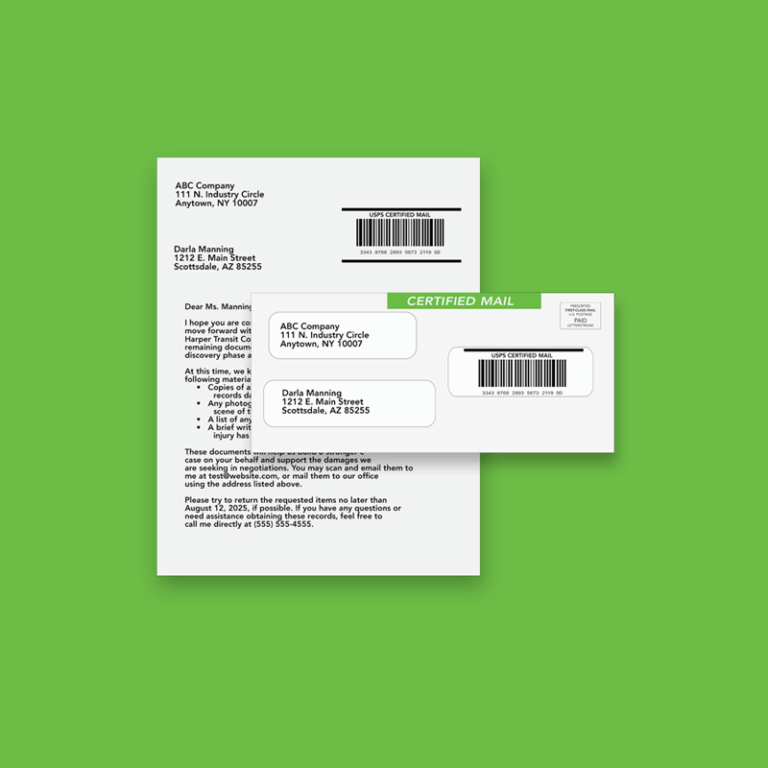
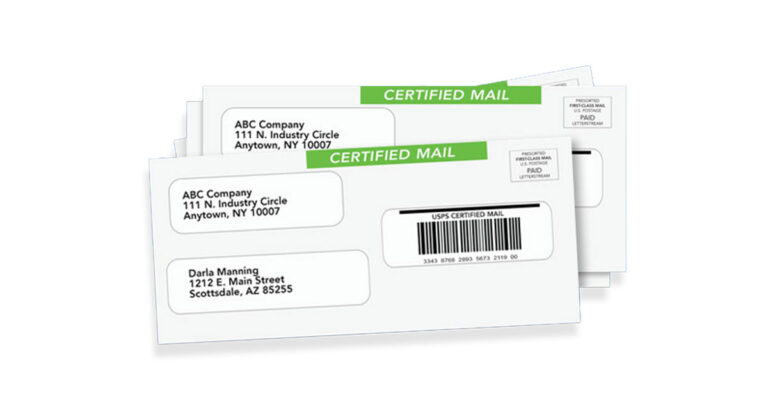
Certified Mail provides proof of mailing and proof of receiving—essential for legally required notices where documentation matters. When someone receives a Certified letter, they sign for it, creating a record that the sender can access and retain.
Common Certified Mail use cases include:
- HOA violation notices and lien filings
- Medical debt collection correspondence
- Legal notices, breach letters, and demand letters
- Eviction notices (some states now require Certified Mail for service)
- Regulatory compliance notifications
Online Certified Mail services retain records for years—some up to 10 years—far longer than USPS maintains its own records. This documentation proves invaluable when disputes arise months or years after mailing.
Priority and Express Mail Services
When mailing speed matters more than cost, Priority Mail and USPS Priority Mail Express options provide expedited service. Healthcare organizations sending time-sensitive appointment information, legal teams facing filing deadlines, and businesses with urgent contracts benefit from faster sending windows.

Step-by-Step Process for Mailing Letters Online
Replacing manual mailroom tasks with automated workflows requires understanding the end-to-end process. What once involved printing, folding, stuffing, stamping, and going to the post office now happens from a single screen.
Document Preparation and Upload
The process follows these steps:
- Create or gather documents in PDF and CSV format
- Log into the mail service account from any computer or mobile device
- Upload files individually or in batches for high-volume mailings
- Enter recipient addresses manually or import from spreadsheets; the system validates addresses against USPS databases for an additional fee
- Preview the mailing to verify formatting, envelope window alignment, and recipient information
- Select mail class (First-Class, Certified, FedEx 2Day) and any add-ons like electronic return receipts
- Confirm and pay using saved credit card information or invoiced billing
For recurring mailings, many platforms allow template creation and scheduled sends. System sends can be configured to trigger automatically when billing cycles close or when specific events occur in connected software.
Address validation happens automatically during upload. Services use USPS CASS (Coding Accuracy Support System) and NCOA (National Change of Address) databases to verify and standardize addresses, reducing undeliverable returns and ensuring mail reaches intended recipients.
High-Volume Mailing and Business Solutions
For organizations that send hundreds or even thousands of letters each month, online mail services offer robust solutions designed to streamline high-volume mailing. Instead of managing stacks of paper, envelopes, and stamps, businesses can upload large batches of documents and addresses in just minutes, letting the system handle the rest. This is especially valuable for billing departments, legal teams, and property managers who need to send invoices, statements, or compliance notices at scale.
Bulk mailing platforms are built to handle high-volume efficiently, with features like batch uploads, address list imports, and automated workflows that trigger mailings based on business events. Integration with accounting, CRM, or case management software means you can send hundreds straight from your existing systems—no manual exporting or uploading required.
For compliance-driven industries, these platforms provide detailed tracking information, delivery confirmation, and electronic return receipts for every piece of mail, ensuring you can confirm delivery and maintain records for years. Whether you’re sending USPS Certified Mail for legal notices or USPS First-Class mail for routine correspondence, online solutions are simply the easiest way to manage large-scale mailings without ever going to the post office.

Mobile Accessibility and Convenience
Today’s professionals need the flexibility to manage their mail from anywhere, and online mailing platforms offer just that. With mobile-friendly interfaces, you can access your account, upload documents, and send mail online directly from your mobile device—no need to be tied to a desktop or office printer. This is ideal for remote teams, field staff, or anyone who needs to send important documents while on the go.
Mobile access means you can track the status of your mail, view tracking numbers, and receive confirmation updates in real time, all from the same screen. Saved credit card information and secure login options make it easy to pay for postage and manage your account without hassle. If you need to resend a past email or check the status of a Certified Mail piece, everything is accessible from your phone or tablet.
This level of convenience helps organizations stop wasting time on manual processes and ensures that critical communications are sent promptly, even when you’re away from the office. Whether you’re sending one letter or managing high-volume mailings, mobile accessibility puts the entire mailing process at your fingertips.
Common Challenges and Solutions
Transitioning from the old-fashioned way of mailing to online services raises practical concerns. Understanding common obstacles helps organizations implement digital mail workflows successfully.
Troubleshooting Account Access
If you are unable to log in to your account, we recommend searching your email inbox for a password email sent by our system. Sometimes, important messages like password reset instructions may be filtered out, so be sure to check your spam folder as well. This can help you quickly recover or reset your password and regain access to your account.
Address Validation and Mailing Issues
Challenge: Incorrect or outdated addresses lead to returned mail, missed deadlines, and wasted postage.
Solution: Built-in address verification catches errors before mailing. CASS-certified validation standardizes addresses to USPS formatting, while NCOA checks identify recipients who have moved. These services can be utilized for an additional fee. When mail is undeliverable despite verification, services provide return notifications so senders can update records and resend.
For Certified Mail specifically, if no one is available to sign, carriers leave notices and hold items at the local post office—typically for 15 days. Tracking shows these events, allowing senders to follow up with recipients or document attempted delivery for compliance purposes.
Compliance and Record Keeping
Challenge: Legal and regulatory requirements demand proof that notices were sent and received, but paper records get lost or misfiled.
Solution: Digital mail platforms maintain complete chain-of-custody documentation: timestamps for upload, mailing, acceptance scans, delivery attempts, and signatures. Electronic return receipts replace physical green cards with PDF documentation that courts increasingly accept as equivalent.
For industries with specific compliance needs—healthcare under HIPAA, financial services under GLBA, legal communications requiring privilege protection—providers offer security certifications and audit trails that satisfy regulatory requirements.

Integration with Existing Systems
Challenge: Manual uploading of documents creates extra work; staff must export files from one system and import them into another.
Solution: API integrations connect billing systems, practice management software, CRMs, and other platforms directly to mail services. When invoices generate in accounting software, the system automatically queues them for mailing. Case management platforms can trigger Certified Mail when deadlines approach.
These integrations transform mailing from a manual process into an automated workflow, reducing labor costs and eliminating the bottlenecks that slow down operations.
Conclusion and Next Steps
Mailing letters online eliminates trips to the post office, reduces manual handling, and provides the tracking and documentation that modern organizations require. Whether sending one letter or thousands, digital mail services deliver consistency, compliance, and time savings that in-house mailrooms cannot match.
Organizations considering this transition should:
- Audit current mailing volume to identify costs and time spent on traditional mail handling
- Identify compliance requirements for correspondence requiring Certified Mail or specific documentation
- Start with a pilot program testing the service with a subset of mailings before full implementation
- Evaluate integration options to connect existing billing, legal, or client management systems
For organizations sending regular Certified Mail, legal notices, invoices, statements, or healthcare communications, online mail services represent simply the easiest way to stop wasting time on manual mailing processes while improving reliability and documentation.
Frequently Asked Questions
How long does online mail delivery take? First-Class mail typically delivers within 3-5 business days after processing. Most providers mail documents by the next business day, with some offering same-day processing for rush orders. Certified Mail follows similar USPS timelines but may take longer due to signature requirements. When using LetterStream, it’s important to note that we send out the mail fast. However, once we hand it over to the USPS it is out of our control on how fast or slow the mail actually arrives.
Can I track letters sent online? Yes, if you sent the mail piece by Certified Mail or FedEx 2Day. Certified Mail receives a tracking number that provides visibility into USPS acceptance, transit, and delivery. Certified Mail tracking includes signature capture and delivery confirmation events accessible through the provider’s dashboard.
What file formats are accepted for online mailing? PDF is the standard format accepted by all major services.
Is online Certified Mail legally valid? Yes. USPS Certified Mail sent through online services carries the same legal validity as Certified Mail sent the traditional way. Electronic return receipts are increasingly accepted by courts as equivalent to physical green cards, provided proper chain-of-custody documentation exists.
What happens if a letter is undeliverable? Undeliverable mail is returned to the sender, and the tracking system updates to show the return status if sent by Certified Mail. Address verification before mailing reduces undeliverables significantly, but when they occur, senders receive notification to update recipient information.
Can I schedule letters to be sent on specific dates? Yes. Most platforms allow scheduling for future mailing dates, useful for notices with specific timing requirements or recurring mailings that need to go out on predictable schedules.
How secure is online mail processing? Reputable services use encrypted uploads, secure printing facilities, and controlled access throughout the process. Providers serving healthcare, legal, and financial clients maintain security certifications (such as HIPAA compliance) and audit logging that documents every step of mail handling.